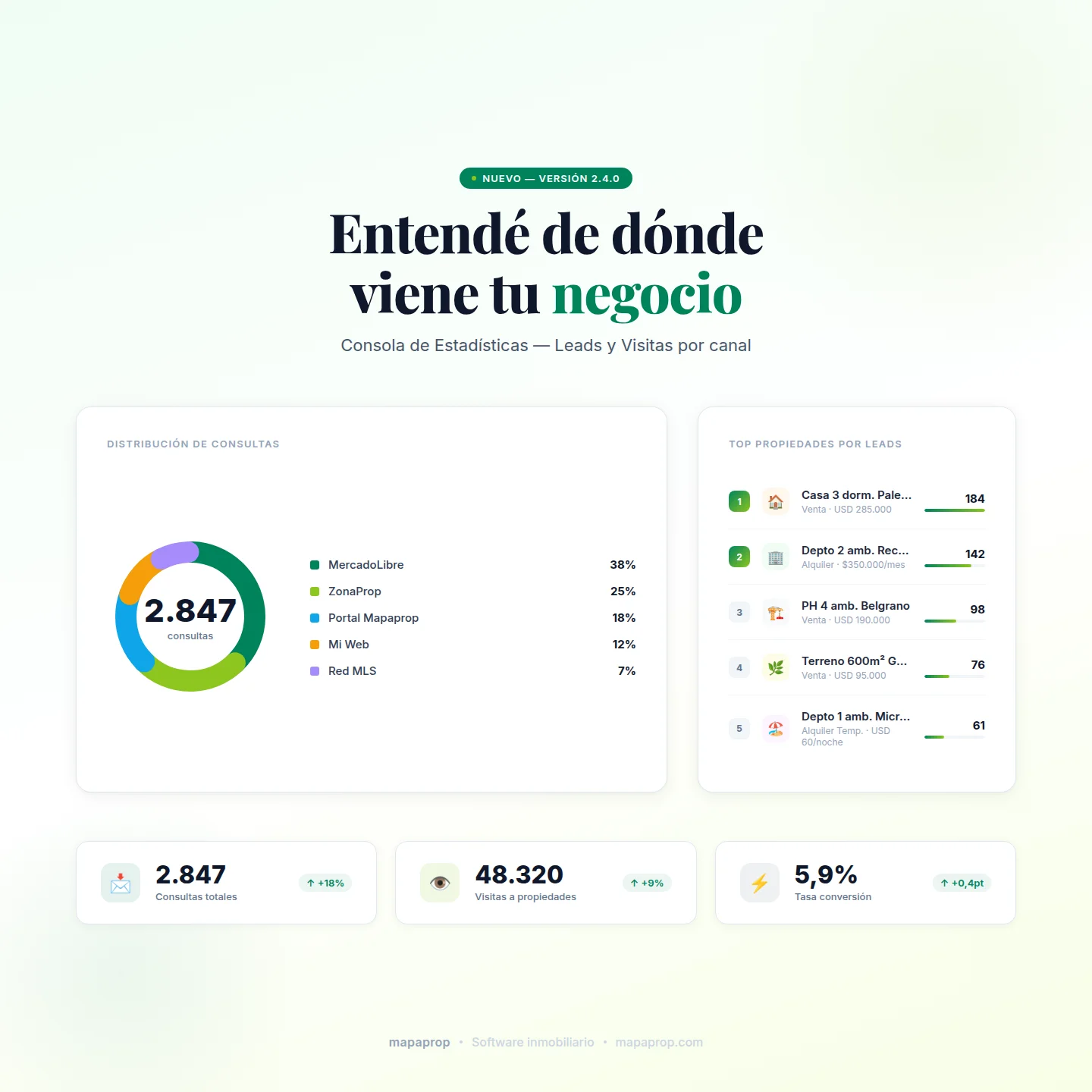
Every real estate office needs to answer two questions with data: where leads are coming from, and which properties are getting attention. Until this version, Mapaprop spread those answers across several screens, and the crossover with MLS network activity was only partially exposed.
This release introduces the new Stats Panels with two reports designed to centralize that reading: the Leads Report and the Visits Report. Two dashboards with the same structure, different focus, and a shared purpose: translating commercial activity into actionable information.
Leads Report
The report presents the source, the recipient, and the property associated with each lead received. The relevant news is the normalization of origin categories:
- MercadoLibre and ZonaProp — leads from listings published on premium portals.
- Mapaprop Portals — leads from the platform's own portals (Mapaprop.com, MemudoYa, PatagonProp, GoUp Realty, WeGoRent).
- Your Website — contact form and WhatsApp buttons on the client's site.
- Open portals — portals that index listings without a direct contract (PROPPIT and similar).
- MLS Network — leads tied to the network's cross-activity.
- Search Network — network colleagues sending queries from their own Mapaprop panel.
Three scenarios distinguished within the MLS Network
For clients operating inside an MLS network, the report separates three situations that used to be consolidated into a single line:
- Own property queried from a colleague's site. The lead is tied to the client's property, but the visitor came in through a different domain. It is identified as MLS Network with a reference to the colleague's origin.
- A colleague's property queried from the client's site. The property belongs to another network member, but the lead reached the client. It is identified as MLS Network with a network-property tag.
- Query from a network colleague. A network member queries directly from their own Mapaprop panel using the network search. It is separated as Search Network, since it responds to a different intent than that of a public visitor.
Each scenario is identified with badges, tooltips, and suffixes to avoid ambiguity when reading the data.
Drilldown by source and by property
Each row in the ranking opens a detail view with the individual leads for the period, their date, address, and associated property. Selecting a property navigates to its full lead history and print options.
!TIP Next to the "CATEGORY" header there is a
ⓘicon that opens the full categories legend, useful to align how the team interprets results.
Visits Report
The Visits Report keeps the same structure, applied to the hits received by each property. The key consideration when reading the numbers:
Visits are always counted on the client's own properties. If an own property is viewed on a network colleague's site, the hit is attributed to the property owner. If a colleague's property appears on the client's site, the hit is attributed to the colleague.
This attribution follows the criterion of the property owner as the recipient of activity. It is the most consistent model to evaluate turnover and interest on the client's inventory.
Unified historical and recent metrics
As part of the stats refactor, the hits shown now integrate two sources (historical and recent) into a single reading. This unification resolves prior discrepancies that caused some properties to be missing from the main panel dashboard, a situation that appeared with particular frequency on sites under the Mapaprop, WeGoRent, and other ecosystem brands. All origins are now reported correctly.
Reports to hand to property owners
From each property's record, in the print section, the agent has access to three printable reports available on every plan, including Free: the Leads Report, the Visits Report, and the Combined Report. Three ready-to-hand outputs for owners who want to know what's happening with the property they entrusted to you.
For agencies that need a richer output —presentable, branded with the agency and branch identity— there is the Complete Report for the Owner, available from the Pro+ plan. It is the enriched version that sets professional follow-up apart when the client expects more than a list.
Availability
Both panels are part of the Pro+ plan and up. Clients on Plus or Free can enable them by upgrading their subscription from the pricing page.
Access
The panels are reached from the Stats > Leads and Stats > Visits menu. Additionally, the main Panel's KPI cards include direct links to each report.
Detailed documentation in the Help Center:
Also in this release
Other improvements shipped with this version:
- Quick republish on MercadoLibre — "Republish" button to reactivate closed ads without recreating them.
- Per-client MercadoLibre zone mapping — configuration of the equivalence between own zones and ML zones, improving the geographic accuracy of listings.
- Property suggestions when replying leads — the Inbox suggests properties from the client's own inventory when a query comes in. The extension to network properties is planned for a future release.
- MercadoPago Recurring Subscriptions (BETA) — monthly auto-debit as an alternative to the classic checkout.
- 60-day stale property alert — identification of properties without a state update on the main panel.
- Redesigned email templates — transactional communications with improved compatibility on Outlook and Gmail.
- Expanded Help Wiki — new API Feeds section and translations of key pages.
The full changelog is available at System Versions.
The Mapaprop team and Ricardo Asensio.