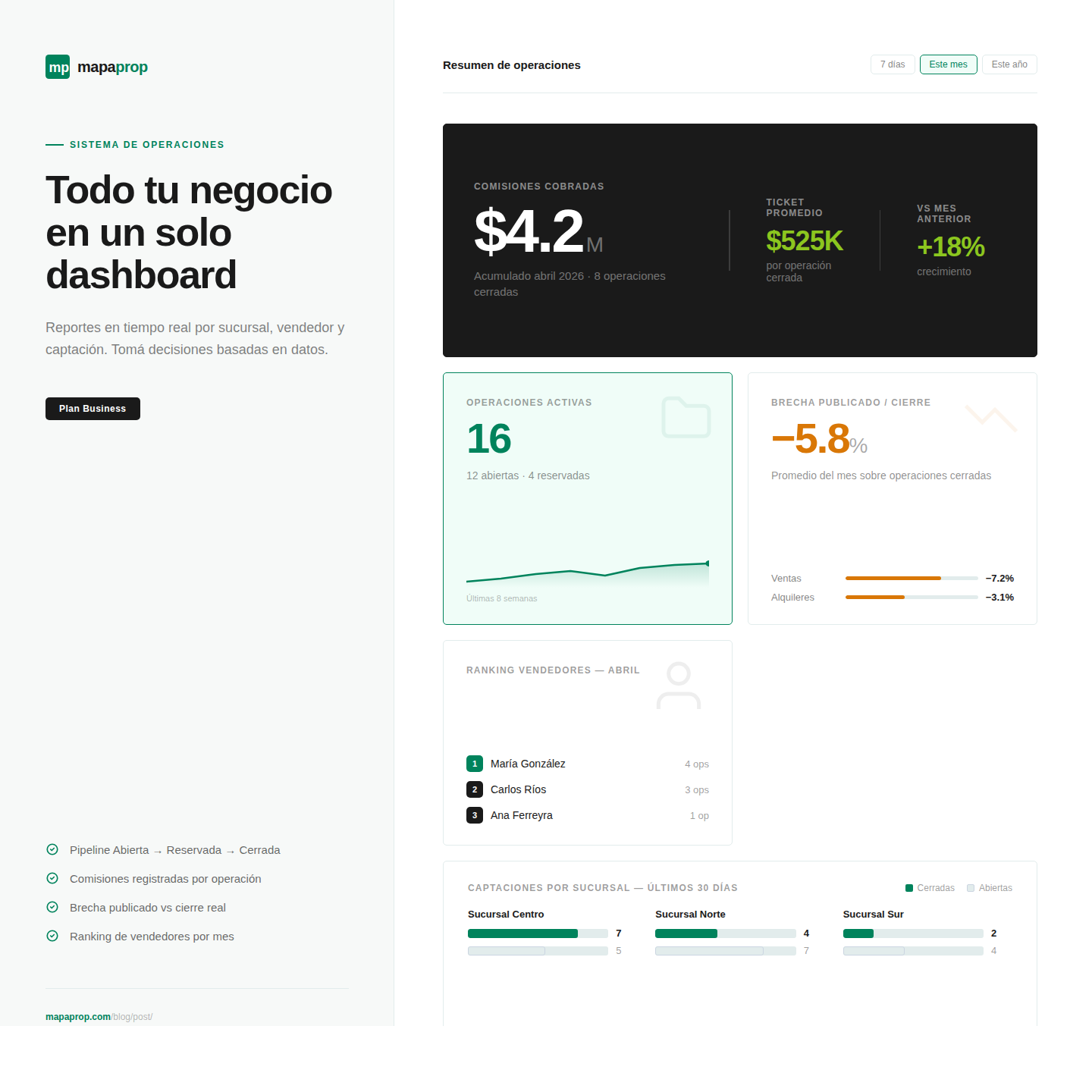
Every real estate agency knows that selling or renting a property isn't an event, it's a process. There's a capture, a negotiation, a reservation, a closing. There's a client, an agent who brings them in, another agent who closes the deal, a branch that earns the commission. There's a published price, a counteroffer, a final value. And in between all of that, a gap that says a lot about how the deal was made.
Until today in Mapaprop, that whole process lived in mental notes, Excel spreadsheets, WhatsApp messages between partners, and the best memory of the agent who was on the operation. It works, sure. But at the end of the quarter, when commissions need to be settled, reports need to be pulled for the owner, or you need to understand why the North branch sells more than the South, all that work of reconstructing what happened is exhausting and error-prone.
That's why we're launching the Operations System in Mapaprop: a clear, structured view of the lifecycle of every real estate operation, integrated into the system you already use every day.
The lifecycle of an operation, now visible
Every operation in Mapaprop has a status that reflects where it is in the process: Open (in negotiation), Reserved (with deposit taken), Sold or Rented (closed), Failed (didn't go through), or Cancelled. The states aren't arbitrary, they follow the natural flow of any real estate operation, and they update as the operation moves forward.
When you open a property that has an active operation, the system shows you a "Manage Operation" button that takes you straight to the detail. No more trying to remember which client gave a deposit, when, or for how much.
Commissions and negotiation gap
For every closed operation you can record the commission and the final value of the transaction. Mapaprop automatically calculates the negotiation gap, that is, the difference between the published price and the closing price.
That metric, which seems simple, is one of the most valuable for understanding how your agency is operating: if the gap is very high, maybe you're publishing with excessive margin; if it's very low, maybe you're leaving money on the table. Having this data visible per operation, per branch, and per agent gives you concrete information for pricing and training decisions.
Reports that tell the real story
The new system comes with a reports panel that organizes operations in several ways:
- By branch: how much each office sells, which closes faster, which has the best gap
- By agent: productivity ranking, average ticket, conversion
- By capture: which agent brings in clients that later close
- My operations: your personal view with everything you have in management
- From the network: if you work with real estate networks or MLS, you can also see operations from the network
- Negotiation gap: the executive report that shows you your team's negotiation performance
The gap report is available for account administrators and managers, precisely because it's a sensitive metric meant for internal reviews, not for all users.
Built for every agency's model
Every agency has its own way of working. Some have a single owner who closes everything. Others have a capture team separate from the sales team, where the agent who brings in the client and the one who closes are different and share commission. Others have branches that compete internally.
The operations system supports all those models: each operation records who captured it (brought in the property or the client) and who closed it (signed the contract), and the reports allow you to see both sides. If you work with shared commissions, you have the information to settle correctly. If you work with a simpler scheme, it also works without complications.
Available on Business plans
The operations system is part of Mapaprop's Business and Business Manager plans. Smaller plans still have all the property, contact, and publication management features you know, with no changes.
If you don't have any operations loaded yet and want to start using the system, you can begin with the reserved or sold properties you have today and gradually add new operations as they happen.
What's coming
This is the first version of the system. We have planned:
- Notifications when an operation has been stuck in a state for too long
- Calendar integration for deposit and signing deadlines
- Excel export of reports to share with accountants and owners
- More pipeline metrics (conversion by stage, average closing time)
All of that will be released in upcoming versions based on the feedback we receive.
If your account has the Business or Business Manager plan, you can start using the Operations System today. Open any reserved or sold property and you'll see the "Manage Operation" button waiting.
As always, if you have questions, comments, or want to tell us how you're using it in your agency, write to us. Your feedback is what guides our development.
The Mapaprop team and Ricardo Asensio.